Showing posts with label operating systems. Show all posts

Saturday, July 19, 2014

cd dvd formats

  • CD-R (compact disc recordable)
CD-RW (compact disc re-writable)
DVD (Digital Versatile Disc)
DVD-RW    Digital Versatile Disc - Rewriteable


  • The DVD-R DVD+R difference can easily be summarized by the following:

* The DVD-R/RW standard was developed by Pioneer, and is used primarily
by Apple and Pioneer. These “minus” discs can only be written to in one
layer on the discs surface. In addition, this format is supported by the DVD
forum, but is in no way an industry standard. DVD-R/RW discs are cheaper
than the “plus” format.
* The DVD+R/RW format is supported by Philips, Dell, Sony, HP, and Mcft.
These discs can be written to in multiple layers, giving them s1
Slightly better and more disc storage than the “minus” format. Because of this additional capacity, they are slightly more expensive than “minus” discs.
http://faalacademy.wordpress.com/2013/05/10/the-difference-between-dvd-r-dvdr-dvdrw-and-dvd-rw/

  • Overview of DVD Recordable: +R Versus -R
1) The DVD-R (pronounced "DVD dash R") and -RW media formats are officially approved by the standards group DVD Forum. The DVD Forum was founded by Mitsubishi, Sony, Hitachi, and Time Warner, so it has tremendous industry support for its technical standards.
2) DVD+R ("DVD plus” R) and +RW formats are not approved by the DVD Forum standards group, but are instead supported by the DVD+RW Alliance. The DVD+RW Alliance is supported by Sony, Yamaha, Philips, Dell, and JP, so it also has tremendous industry support for its technical standards. Note that Sony supports both organizations.

The main functional differences between DVD-R and DVD+R are:
1) the DVD recorder's built-in defects management,
2) the way the recorders format and rewrite DVDs,
3) the price.

According to the claims of the DVD Alliance, using a DVD+R/+RW recorder will let you do the following:

1. Instantly eject without having to wait for finalized formatting.

2. Ability to record one DVD disc partially on PC and partially on television.

3. Background formatting: while the disc is being formatted, you can simultaneously record on already-formatted portions of the same disc.

4. Enhanced ability to edit filenames, movie and song titles, and playlists.

5. 100% compatibility with all other DVD players, while still enjoying these extra recording features.
http://netforbeginners.about.com/cs/multimedia/a/DVD_explained_2.htm

Wednesday, June 25, 2014

ARM architecture


  • ARM architecture
ARM is a family of instruction set architectures for computer processors based on a reduced instruction set computing (RISC) architecture developed by British company ARM Holdings.
A RISC-based computer design approach means ARM processors require significantly fewer transistors than typical CISC x86 processors in most personal computers.
This approach reduces costs, heat and power use.
These are desirable traits for light, portable, battery-powered devices—​including smartphones, laptops, tablet and notepad computers, and other embedded systems.
http://en.wikipedia.org/wiki/ARM_architecture

Monday, April 15, 2013

Disk Performance Calculation


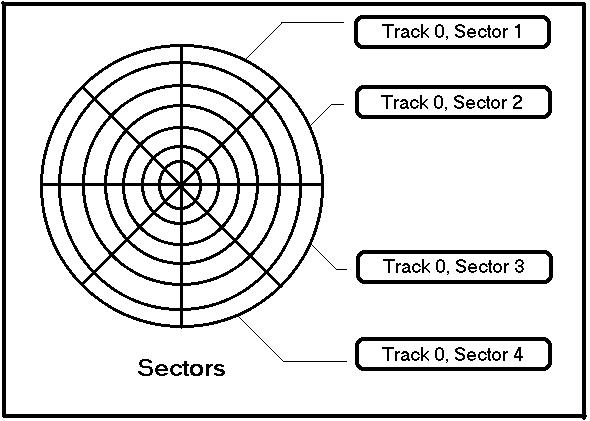
  • A disk is double interleaved, as in the figure bellow. 

It has 8 sectors of 512 bytes per track, and a rotation rate of 300 rpm

a)How long does it take to read all the sectors of a
track in order, assuming the arm is already
correctly positioned , and 1/2 rotation is needed to
get a sector 0 under the head?
b) What's the data rate?
c) Now repeat the problem for a non-interleaved disk with the same characteristics
d) How much does the data rate degrade due to interleaving?


300 rpm means that one complete turn
takes (60 sec * 1000 ms) / 300 rpm = 200 ms
Thus one sector needs 200 ms / 8 = 25 ms
To read all the sectors in order the head has to
go over 22 sectors starting from sector 0 (0-
3-6-1-4-7-2-5-0-3-6-1-4-7-2-5-0-3-6-1-4-7)
what takes 22*25 ms = 550 ms

a) 550 ms + 200 ms / 2 = 650 ms
Effective access time = seek time + latency time +
data transfer time = 0 + 200 ms / 2 + 550 ms = 650
ms, thus
b) data rate = (8 * 512 bytes / 650 ms) * 1000 ms/sec
˜ 6302 bytes / sec
c) read all the sectors: 8*25 ms + 200 ms / 2 = 300 ms
data rate = (8 * 512 bytes / 300 ms) * 1000 ms/sec =
13653 bytes / sec
d) the difference in data rate is 13653 bytes / sec –
6302 bytes / sec = 7351 bytes / sec

http://disi.unitn.it/~ilya/Download/os_course/input_output_lab.pdf


  • Disk Performance


Given the following Disk Parameters:
– Average seek time is 5 ms
– Disk spins at 10,000 RPM
– Transfer rate is 40 MB/sec

What is Average Disk read or write time for a 512-byte Sector?

Ave. seek + ave. rot delay + transfer time + controller overhead
5 ms + 0.5/(10000 RPM/60) + 0.5 KB/40 MB/s + 0.1 ms
 5 + 3 + 0.13 + 0.1 = 8.23 ms

 http://meseec.ce.rit.edu/eecc551-winter2003/551-exam-review-winter2003.pdf


  • Performance Example

How long does it take to read a 512 byte block from the disk?
How long does it take to read two 512 byte blocks from the disk?
http://williams.comp.ncat.edu/comp375/disk.pdf


  • Disk Performance Example


• Calculate time to read 512-byte sector for a disk.
Average seek time is 5ms,
the transfer rate is 40 MB/sec,
it rotates at 10,000 RPM, and
the controller overhead is 0.1 ms.
• Disk latency = average seek time +
average rotational delay + transfer time +
controller overhead

= 5 ms+ 0.5 * 1/(10000 RPM) + 512 B / (40 MB/s) + 0.1 ms
=5+3+0.013+0.1=8.11ms

https://docs.google.com/presentation/d/1zBhbZZoejmApfDjDkBvYg50DJ_4Aoq4EzGB_e_AYeLU/edit#slide=id.p5


  1. Disk Performance


Average Disk Access Time= average rotation time+ average seek time+data transfer time+controller overhead time.

For a disk with 7200RPM, the average rotation time= 0.5 rotations/7200RPM= 0.00415 sec

What is the average time to read/write a 512 byte sector for a typical disk:

average seeek time=9ms,
data transfer rate is 4MB/s,
RPM=7200,
controller overhead=1 ms.
Assume no queueing delay.

Ans: 9ms+(0.5/(7200/60))*1000 ms+0.5KB/4.0MB/s+1ms=9+4.15+0.125+1=14.3 ms.
http://cs.uccs.edu/~cs520/S99ch6.PDF


Wednesday, March 13, 2013

Memory Management Techniques


  • Memory Management Techniques


Fixed Partitioning
Divide memory into partitions at boot time, partition sizes may be equal or unequal but don’t change
Simple but has internal fragmentation

Dynamic Partitioning
Create partitions as programs loaded
Avoids internal fragmentation, but must deal with external fragmentation

Simple Paging
Divide memory into equal-size pages, load program into available pages
No external fragmentation, small amount of internal fragmentation

Simple Segmentation
Divide program into segments
No internal fragmentation, some external fragmentation

Virtual-Memory Paging
Paging, but not all pages need to be in memory at one time
Allows large virtual memory space
More multiprogramming, overhead

Virtual Memory Segmentation
Like simple segmentation, but not all segments need to be in memory at one time
Easy to share modules
More multiprogramming, overhead

https://docs.google.com/viewer?a=v&q=cache:8YjAHQb0WsgJ:students.cs.byu.edu/~cs345ta/slides/CS345%252007%2520-%2520Memory%2520Management.pptx+&hl=en&pid=bl&srcid=ADGEESgCkTvJun68Ifb56wDcyg5UIaf98eTH0IFvm9gsE6oAsmLlrKs_jsXrQzrgkqv1Ot5F69czi0QyAJFsyuJQb5HvJvmCunq0OVRK4Ua-_fltzaC4tgbr0TTHAKLB0EQS006encTP&sig=AHIEtbTBAEIAgB8FL91wo4AidAi3f1_Pqg


  • Memory Management Techniques

http://www.cse.buffalo.edu/~bina/cse421/spring00/LEC78MemMgt/sld007.htm


  • Memory Management 

Various techniques
Fixed partitions – easy to use, but internal fragmentation
Variable partitions – more efficient, but external fragmentation
Paging – use small, fixed size chunks, efficient for OS
Segmentation – manage in chunks from user’s perspective
Combine paging and segmentation to get benefits of both
https://docs.google.com/viewer?a=v&q=cache:DJU4mo7E0BEJ:cseweb.ucsd.edu/classes/fa05/cse120/lectures/120-l10.pdf+&hl=en&pid=bl&srcid=ADGEEShm17EKOhrz3fSiENcf4xqvERf9xpIdIbRzjSP1G5bePoGXLBQZXDWEwlOyZJT8fVV1Wg-umGfL58MZ5K3e6ctlgpfs2In8Tl1s34lWlXfFmJQ0oXH3bC0FlOiH5nSNTk_5c5os&sig=AHIEtbRZmbCW31WfvVYnEIJH-PasAsVMZQ

Friday, January 25, 2013

Harvard architecture


Harvard architecture
The Harvard architecture is a computer architecture with physically separate storage and signal pathways for instructions and data.
The term originated from the Harvard Mark I relay-based computer, which stored instructions on punched tape (24 bits wide) and data in electro-mechanical counters. These early machines had data storage entirely contained within the central processing unit, and provided no access to the instruction storage as data.
Programs needed to be loaded by an operator; the processor could not boot itself.
Today, most processors implement such separate signal pathways for performance reasons but actually implement a modified Harvard architecture, so they can support tasks such as loading a program from disk storage as data and then executing it.
http://en.wikipedia.org/wiki/Harvard_architecture

CISC


CISC
A complex instruction set computer CISC
A complex instruction set computer (CISC) is a computer where single instructions can execute several low-level operations (such as a load from memory, an arithmetic operation, and a memory store) and/or are capable of multi-step operations or addressing modes within single instructions.
The term was retroactively coined in contrast to reduced instruction set computer (RISC)

Examples of CISC instruction set architectures are System/360 through z/Architecture, PDP-11, VAX, Motorola 68k, and x86.
http://en.wikipedia.org/wiki/Complex_instruction_set_computing

RISC


RISC
Reduced instruction set computing, or RISC  is a CPU design strategy based on the insight that simplified (as opposed to complex) instructions can provide higher performance if this simplicity enables much faster execution of each instruction.
A computer based on this strategy is a reduced instruction set computer, also called RISC.
The opposing architecture is known as complex instruction set computing, i.e. CISC.

Well known RISC families include DEC Alpha, AMD 29k, ARC, ARM, Atmel AVR, Blackfin, Intel i860 and i960, MIPS, Motorola 88000, PA-RISC, Power (including PowerPC), SuperH, and SPARC
http://en.wikipedia.org/wiki/Reduced_instruction_set_computing

Monday, October 15, 2012

Interrupt


  • Interrupts

Defn: an event external to the currently executing process that causes a change in the normal flow of instruction execution; usually generated by hardware devices external to the CPU
Typically indicate that some device needs service
http://www.cs.toronto.edu/~demke/469F.06/Lectures/Lecture6.pdf


  • Interrupts

An interrupt is an exception, a change of the normal progression, or interruption
in the normal flow of program execution.
An interrupt is essentially a hardware generated function call.
Interrupts are caused by both internal and external sources.
An interrupt causes the normal program execution to halt and for the interrupt
service routine (ISR) to be executed.
At the conclusion of the ISR, normal program execution is resumed at the point
where it was last.
http://web.engr.oregonstate.edu/~traylor/ece473/lectures/interrupts.pdf

Interrupt vector


Interrupt vector
An interrupt vector is the memory address of an interrupt handler, or an index into an array called an interrupt vector table that contains the memory addresses of interrupt handlers. When an interrupt is generated, the Operating System saves its execution state via a context switch, and begins execution of the interrupt handler at the interrupt vector.
http://en.wikipedia.org/wiki/Interrupt_vector


interrupt vector
An interrupt vector is the memory location of an interrupt handler, which prioritizes interrupts and saves them in a queue if more than one interrupt is waiting to be handled.
http://whatis.techtarget.com/definition/interrupt-vector

Hardware Interrupt Handling
interrupt vector associates handlers with interrupts
http://www.cs.toronto.edu/~demke/469F.06/Lectures/Lecture6.pdf


Operating Systems
In memory (specified by the hardware) the OS stores an interrupt vector, which contains the address of the interrupt handler
http://www.cs.nyu.edu/courses/spring09/V22.0202-002/lectures/lecture-06.html

Saturday, October 13, 2012

Megabytes, Gigabytes, Terabytes


Processor or Virtual Storage

· 1 Bit = Binary Digit
· 8 Bits = 1 Byte
· 1024 Bytes = 1 Kilobyte
· 1024 Kilobytes = 1 Megabyte
· 1024 Megabytes = 1 Gigabyte
· 1024 Gigabytes = 1 Terabyte
· 1024 Terabytes = 1 Petabyte
· 1024 Petabytes = 1 Exabyte
· 1024 Exabytes = 1 Zettabyte
· 1024 Zettabytes = 1 Yottabyte
· 1024 Yottabytes = 1 Brontobyte
· 1024 Brontobytes = 1 Geopbyte

 http://www.whatsabyte.com/

Thursday, October 11, 2012

Process Control Block


  • Process Control Block


The OS must know specific information about processes in order to manage, control them and also to implement the process model, the OS maintains a table (an array of structures), called the process table, with one entry per process.
These entries are called process control blocks (PCB) - also called a task control block
http://siber.cankaya.edu.tr/ozdogan/OperatingSystems/ceng328/node87.html


  • Process Control Block

A process in an operating system is represented by a data structure known as a process control block (PCB) or process descriptor. The PCB contains important information about the specific process including

The current state of the process i.e., whether it is ready, running, waiting, or whatever.
Unique identification of the process in order to track "which is which" information.
A pointer to parent process.
Similarly, a pointer to child process (if it exists).
The priority of process (a part of CPU scheduling information).
Pointers to locate memory of processes.
A register save area.
The processor it is running on.

The PCB is a certain store that allows the operating systems to locate key information about a process. Thus, the PCB is the data structure that defines a process to the operating systems.
http://www.personal.kent.edu/~rmuhamma/OpSystems/Myos/processControl.htm

Interprocess Communication in Unix


  • Pipes

The only real IPC facility available in early Unices was the ``pipe.''
Pipes are creating using the pipe system call
% prog1 | prog2
When a command like this is given to the shell, the shell creates a pipe before forking prog1 and prog2.
The ``write to'' end of the pipe is connected to prog1's stdout, while the ``read from'' end of the pipe is connected to prog2's stdin.
Now, output from prog1 is fed to prog2's input.


  • Named Pipes (FIFOs)

Closely related to the pipe is the ``named pipe,'' also called a FIFO. A FIFO is an IPC channel that is given a name in the file system space, using the mkfifo system call (there is also a mkfifo command that is just a wrapper around the mkfifo system call). Once a FIFO has been created processes can open it just like a file, and write to it or read from it. The only thing is, the data that is written is not actually written to a file; it's maintained in a buffer by the kernel.

Named pipes were a huge step forward, but still suffered from only being able to be used between two processes on a single system, not over a network.


  • Sockets

Conceptually, internet sockets on a Unix system look like a numbered array of interprocess communication channels -- so there is a socket 0, socket 1, socket 2, and so forth. They pretty much expect to be used in a client-server relationship; a daemon wishing to provide a service creates a socket and listens to it; a client program connects to the socket and makes requests. The daemon is also able to send messages back to the client.

http://www.cs.nmsu.edu/~pfeiffer/classes/574/notes/ipc.html

Buddy memory allocation


  • The Buddy System


The buddy system is a memory allocation and management algorithm that manages memory in power of two increments
A memory manager (e.g., the Linux page allocator) using the Buddy System keeps lists of free blocks that are sizes of powers of two (2, 4, 8, 16, 32, …).
Initially, when all of memory is free, all lists are empty except for the largest power of two that is less than or equal to the size of allocatable memory
When a block of size n is needed, the algorithm checks the list for the nearest power of two that is greater than or equal to n. If there is one, all is well and the block can be marked as used. If there is no free block, the algorithm gets a block from the next level, splits it into two buddies (which get recorded in the previous level of the list), and uses one of those for allocation. When that block is freed again, the buddies can be combined and brought back up to the next level in the lis

For example, suppose we're using a buddy-based page allocator and need a block of 53 contiguous pages. The closest bigger power of two is 64, so we request a 64-page chuck. Suppose that all we have is one free 512-page segment. We have an array of pointers to lists: a 512-page list, a 256-page list, etc., down to a 1-page list.

The algorithm starts off by looking looks for a 64-page segment. That list is empty, so it then attempts to get a 128-page segment that it can split into two 64-page buddies. That doesn't exist either, so we then look for a 256-page segment. We don't have it, so we then look for a 512-page segment. We have one of those and split it into two 256-page buddies. Now we back up and look for the 256-page segment that we couldn't find earlier. Now we have two of those. We grab one and split it into two 128-page buddies. We back up further and look for that 128-page segment. We have two of those now and split one into two 64-page segments. We back up further to our initial search for a 64-page segment and, lo and behold, we have one we can allocate.

http://www.cs.rutgers.edu/~pxk/416/notes/09-memory.html


  • Buddy memory allocation


The buddy memory allocation technique is a memory allocation algorithm that divides memory into partitions to try to satisfy a memory request as suitably as possible
This system makes use of splitting memory into halves to try to give a best-fit
http://en.wikipedia.org/wiki/Buddy_memory_allocation

Types of I/O Devices


  • Block devices

Organize data in fixed-size blocks
Transfers are in units of blocks
Blocks have addresses and data are therefore addressable
E.g. hard disks, USB disks, CD-ROMs


  • Character devices

Delivers or accepts a stream of characters, no block structure
Not addressable, no seeks
Printers, network interfaces, terminals

http://www.cs.princeton.edu/courses/archive/fall08/cos318/lectures/Lec11-Devices.pdf
   

What is a device driver?


Software in OS to manage I/O to a device is  called a device driver
A device driver abstracts specific device hardware into a generic model of I/O device
Makes it easy to port OS and applications to new hardware - device independence

Goals of the OS
Provide a generic, consistent, convenient and reliable way to access I/O devices
As device-independent as possible


http://www0.cs.ucl.ac.uk/staff/s.wilbur/1b11/1b11-5.pdf

What are some advantages and disadvantages for a Modular Kernel?


A modular kernel is an attempt to merge the good points of kernel-level drivers and third-party drivers
In a modular kernel, some part of the system core will be located in independent files called modules that can be added to the system at run time.

Advantages
The most obvious is that the kernel doesn't have to load everything at boot time; it can be expanded as needed. This can decrease boot time, as some drivers won't be loaded unless the hardware they run is used
The core kernel isn't as big
If you need a new module, you don't have to recompile.

Disadvantages
It may lose stability. If there is a module that does something bad, the kernel can crash, as modules should have full permissions.
..and therefore security is compromised. A module can do anything, so one could easily write an evil module to crash things. (Some OSs only allow modules to be loaded by the root user.)

http://wiki.osdev.org/Modular_Kernel

what is mutual exclusion ?


A way of making sure that if one process is using a shared modifiable data, the other processes will be excluded from doing the same thing.
http://www.personal.kent.edu/~rmuhamma/OpSystems/Myos/mutualExclu.htm


In computer science, mutual exclusion refers to the problem of ensuring that no two processes or threads (henceforth referred to only as processes) can be in their critical section at the same time
http://en.wikipedia.org/wiki/Mutual_exclusion

What is race condition?


A race condition is a situation in which a computer system tries to process at least two operations simultaneously,
http://www.wisegeek.com/what-is-a-race-condition.htm

a situation in which multiple processes read and write a shared data item and the final result depends on the relative timing of their execution
http://wiki.answers.com/Q/What_is_race_condition_in_operating_systems

The race condition is the situation where several processes access and manipulate shared data concurrently. The final value of the shared data depends upon which process finishes last. To prevent race conditions, concurrent processes must be synchronized.
http://www.basicsofcomputer.com/race_conditions_in_operating_system.htm

A race condition occurs when 2 or more threads are able to access shared data and they try to change it at the same time
http://stackoverflow.com/questions/34510/what-is-a-race-condition

Critical Section


Critical section

In concurrent programming, a critical section is a piece of code that accesses a shared resource (data structure or device) that must not be concurrently accessed by more than one thread of execution
http://en.wikipedia.org/wiki/Critical_section


That part of the program where the shared memory is accessed is called the Critical Section.
http://www.personal.kent.edu/~rmuhamma/OpSystems/Myos/criticalSec.htm

A section of code or collection of operations in which only one process may be executing at a given time, is called critical section.
http://www.basicsofcomputer.com/critical_section_problem_in_operating_system.htm

The fork(), exec() system call


  • fork():

The fork system call does not take an argument.
When a fork() system call is made, the operating system generates a copy of the parent process which becomes the child process.

The following is a simple example of fork()
#include
#include
#include

int main(void)
{
   printf("Hello \n");
   fork();
   printf("bye\n");
   return 0;
}

Hello - is printed once by parent process
bye - is printed twice, once by the parent and once by the child


  • exec*()


"The exec family of functions replaces the current process image with a new process image." (man pages)

http://www.cs.uregina.ca/Links/class-info/330/Fork/fork.html