Showing posts with label IOT. Show all posts

Sunday, June 27, 2021

Operational Technology (OT)

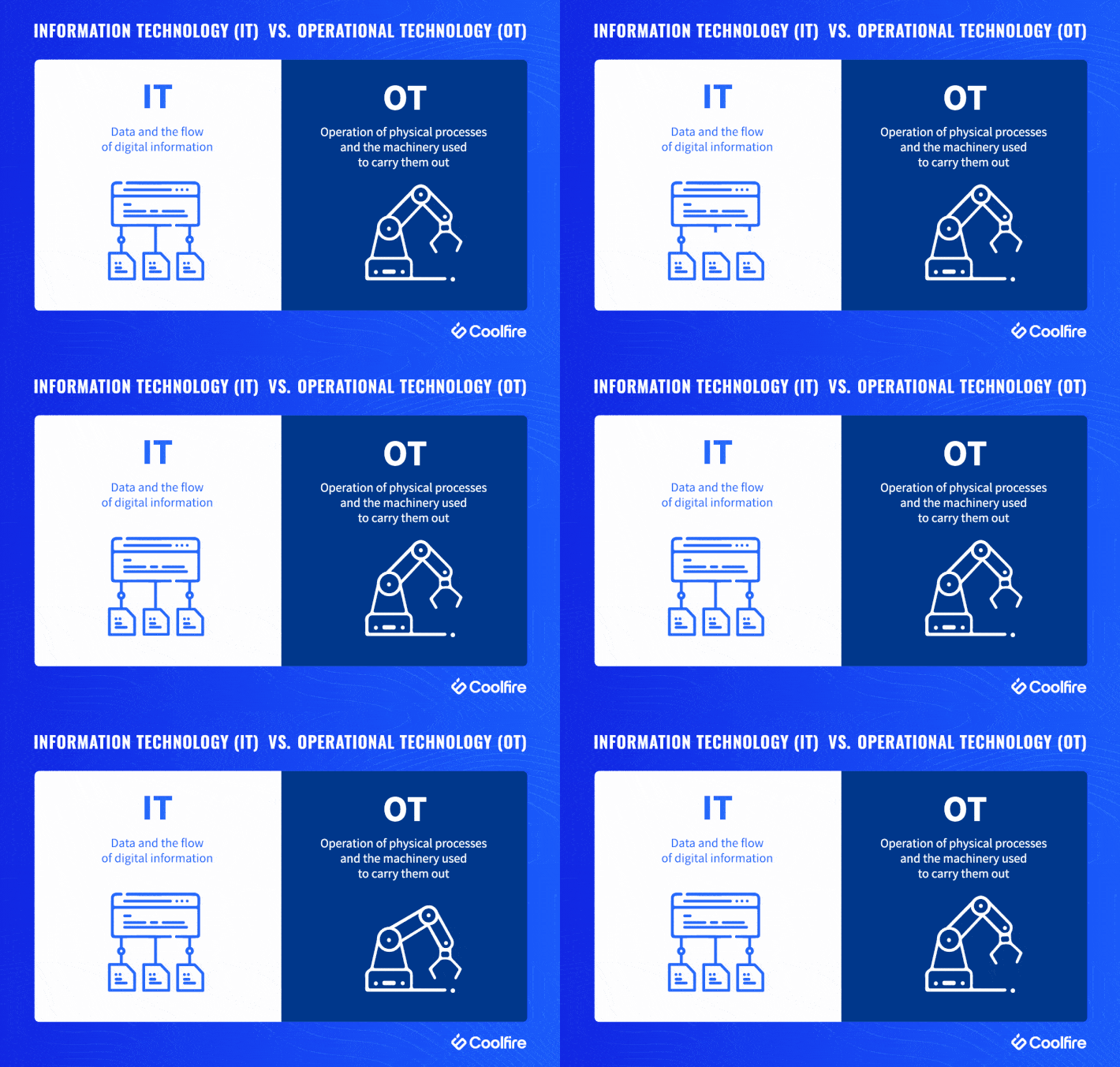
  •  In short, IT deals with information, while OT deals with machines.

The former manages the flow of digital information (read: data), while the latter manages the operation of physical processes and the machinery used to carry them out.

shorthand to represent this distinction is the office (IT) vs. the factory floor (OT).


Understanding OT


Compared with IT, OT is unique in that related hardware and software is usually (historically) designed to do specific things: control heat, monitor mechanical performance, trigger emergency shutoffs, etc. Typically, this is done through industrial control systems (ICS) and supervisory control and data acquisition (SCADA).


If employees have seen fit to change the temperature on a factory floor, raise or lower humidity levels, or shut off machinery for a given reason, OT has provided a quick, clear way of making that happen — a physical switch, a steel lever, or a big red button. Conversely, IT systems have been able to perform key operations without constant human intervention — provided those workflows are within programmed functions.


https://www.coolfiresolutions.com/blog/difference-between-it-ot/


  • The New Age of Operational Technology


Traditionally, OT was an ‘air-gapped’ environment, meaning that it was not connected to external networks or digital technologies.

since the rise of the fourth industrial revolution, also known as "Industry 4.0". Companies taking part in this change have begun implementing new digital solutions in their networks looking to stay ahead of their competition. These solutions aim to increase automation, add “smart” devices, make data more efficient and available, and interconnect networks for convenience.


As part of the interconnection, and in order to make OT components more accessible while being able to collect and analyze data about them, IT and OT networks are also becoming interconnected

This movement is referred to as IT-OT Convergence.

While connecting operational with information technology opens a great door to new opportunities, it also introduces a vast landscape of cybersecurity threats to what was once an air-gapped network.


IT vs OT - Four Core Differences


1. Enterprise vs Industry

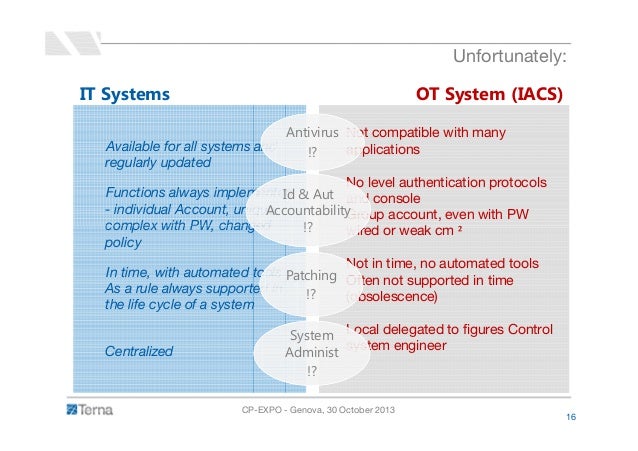
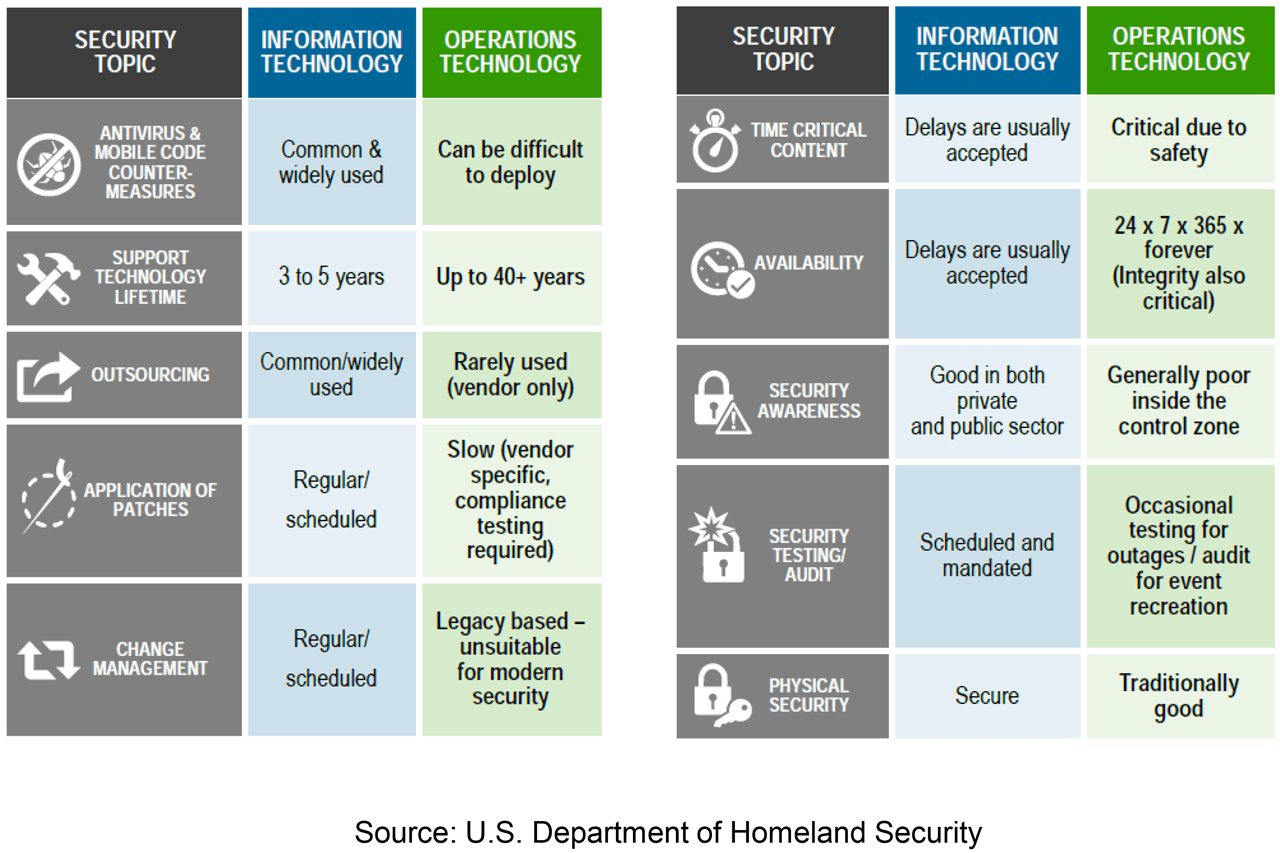
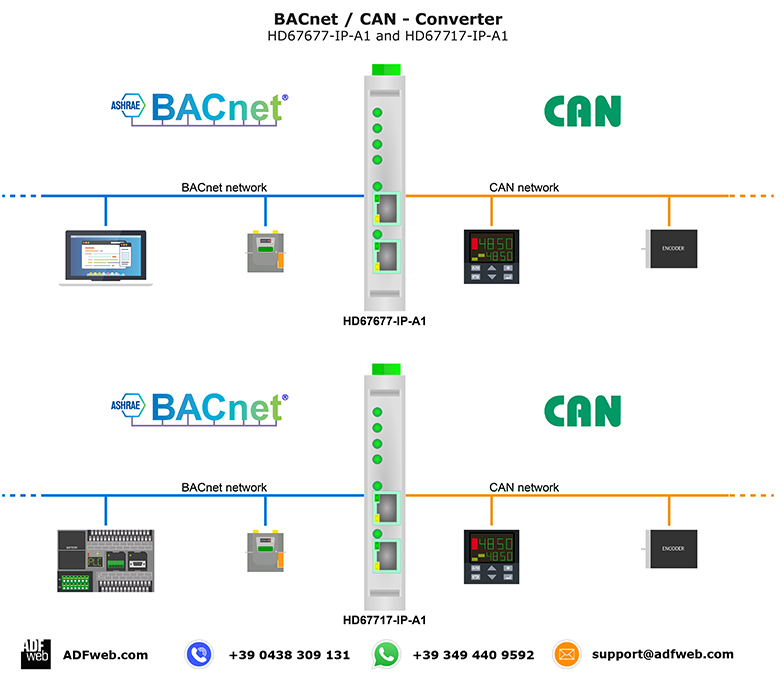
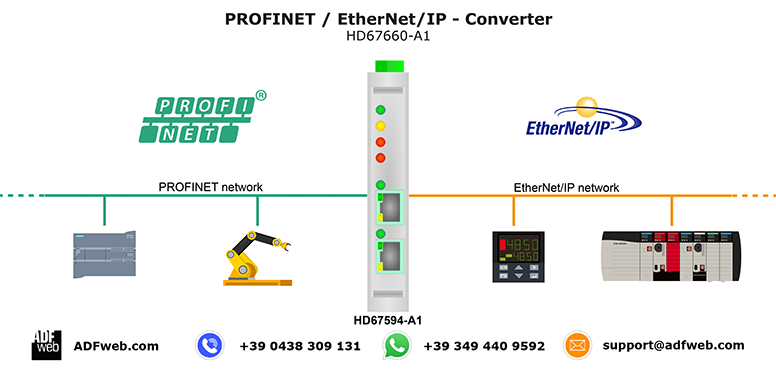
OT includes completely different components that can be found primarily in industrial environments. These components are often screenless (machinery, PLCs), they communicate over industrial protocols that are never seen on IT networks (e.g., Modbus, Ethernet/IP, Profinet), they lack security tools (firewalls, antivirus), and they are even programmed differently than “normal” computers.


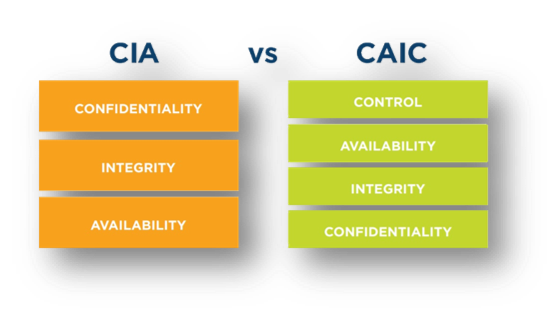
2. IT Prioritizes Confidentiality, OT Focuses on Safety

In OT, the safety and availability of equipment and processes dominate.For example, a ransomware attack that blocks access to operations can lead to a few days of inactivity where each day may be worth millions of dollars.


3. IT Incidents are More Frequent, OT Incidents are More Destructive

IT has more touchpoints with the internet. These gateways pose higher security risks because each one can potentially be a hack waiting to happen.


OT has a lower number of gateways, making it comparatively safer. However, the potential magnitude of compromised physical equipment tends to be greater than that of a data breach. Even slight OT cyber-incidents can lead to huge financial losses and have damaging ramifications that can affect the general population, such as water contamination and power outages


4. Security Patching - Every Week vs Every Ten Years

IT components advance so fast and have relatively short life spans, that a network can look completely different only several years apart. In fact, IT security updates are so frequent that many IT vendors have a designated "update day of the week" or "Patch Tuesday".


patching OT components requires complete shutdowns that halts production, vendors running OT networks rarely patch their components, if at all.Since OT components are rarely updated, they may have many more public vulnerabilities when compared to IT computers. This means that the probability of a successful exploit on an OT system is exponentially higher than on an IT system.


https://www.otorio.com/blog/it-security-vs-ot-security-the-operational-technology-cybersecurity-guide-for-industry-professionals/




Thursday, November 28, 2019

fog computing

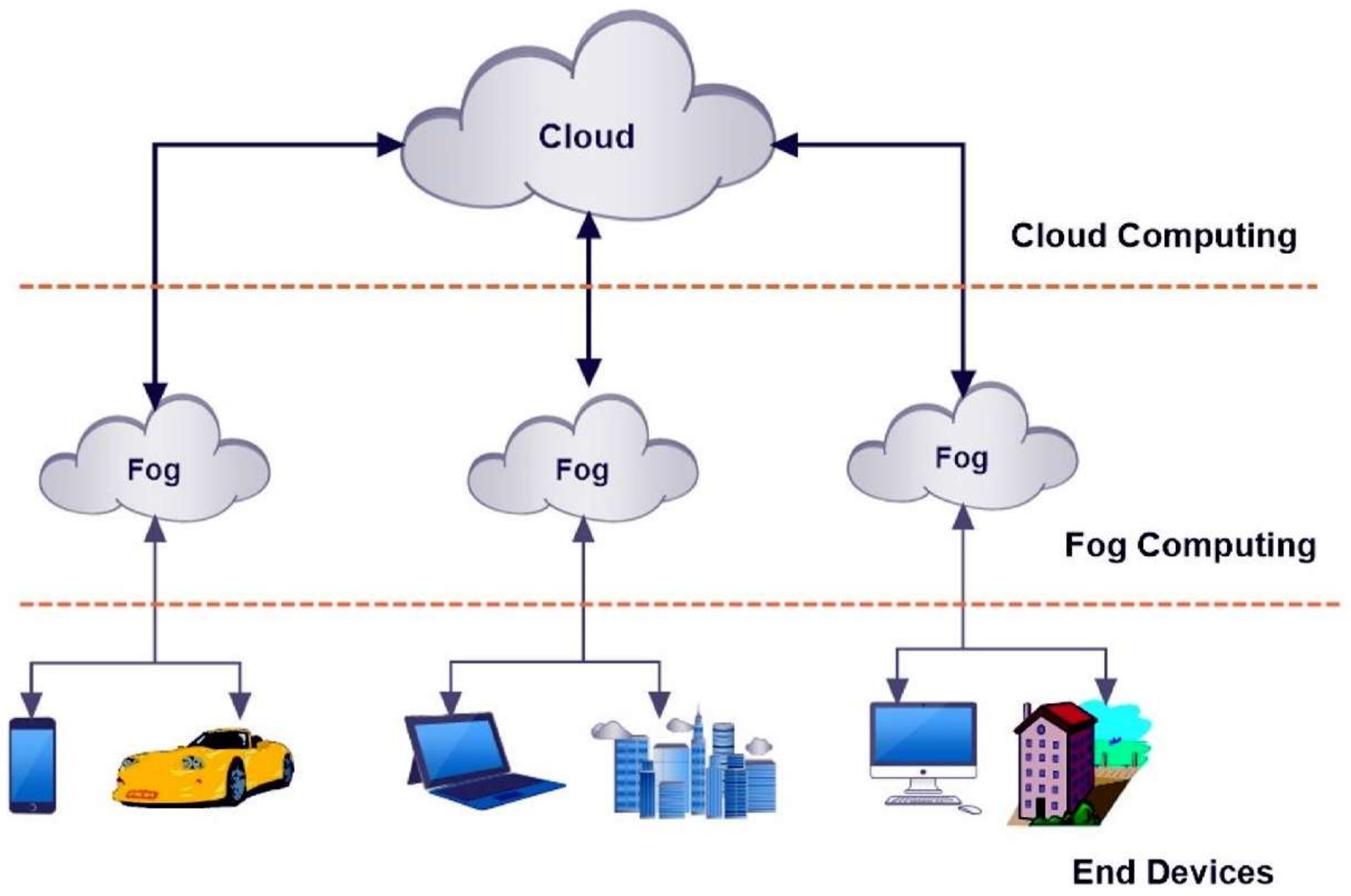
  • Fog computing is a system-level horizontal architecture that distributes resources and services of computing, storage, control and networking anywhere along the continuum from Cloud to Things
https://www.openfogconsortium.org/what-we-do/#definition-of-fog-computing

  • Instead, the IoT will be encouraged with “fog computing,” by that storage, computing, handle and media power can exist anyplace across the structure, possibly from data centres, the cloud computing, advantage devices like gateways or routers, and advantage equipment itself as for instance, for instance, a system, or even from detectors.

https://erpinnews.com/fog-computing-architecture


  • From Cloud-Based to Fog-Based

When users are working with data stored in cloud-based application, such as Dropbox or Google Docs, their data doesn't live on their computers -- it lives in remote data centers. But when using the cloud for applications that demand a virtually instantaneous response, like telemedicine or smart transportation, the distance between user and cloud becomes a concern. Researchers are addressing it with something called mobile edge computing.
"Mobile edge computing is cloud computing brought physically closer to the user," Krunz said. "We sometimes call it fog computing, because clouds are farther away while fog is closer."
https://www.eurekalert.org/pub_releases/2018-12/uoac-fcl120618.php

Tuesday, January 5, 2016

The Internet of Things (IoT)

  • The Internet of Things (IoT) is the network of physical objects or "things" embedded with electronics, software, sensors, and network connectivity, which enables these objects to collect and exchange data
The Internet of Things allows objects to be sensed and controlled remotely across existing network infrastructure,
when IoT is augmented with sensors and actuators, the technology becomes an instance of the more general class of cyber-physical systems, which also encompasses technologies such as smart grids, smart homes, intelligent transportation and smart cities
https://en.wikipedia.org/wiki/Internet_of_Things

  • lora
Our members are collaborating together and sharing experience to drive the success of the LoRa protocol, LoRaWAN™, as the open global standard for secure, carrier-grade IoT LPWA connectivity. With a certification program to guarantee interoperability and the technical flexibility to address the multiple IoT applications be they static or mobile
https://www.lora-alliance.org/


  • sigfox
We power the IoT with the simplest communication solutions
http://www.sigfox.com/

  • What Is SigFox?
The low power, wide area (LPWA) network space, which is a subset of the Machine-to-Machine (M2M) market and is often referred to now as the Internet of Things (IoT).
Specifically, SigFox sets up antennas on towers (like a cell phone company), and receives data transmissions from devices like parking sensors or water meters
http://www.link-labs.com/what-is-sigfox/


  • NB-IOT, Accelerating Cellular IOT
NB-IOT provides better network coverage for thing-to-thing communications, supports more connections, and lowers power consumption. Therefore, NB-IOT meets the application requirements in industrial, public, personal, and home domains.
http://www.huawei.com/minisite/hwmbbf15/en/nb-iot-accelerating-cellular-iot.html

  • What is Weightless?
Weightless is both the name of a group, the Weightless Special Interest Group (SIG), and the technology.
Weightless technology delivers wireless connectivity for low power, wide area networks (LPWAN) specifically designed for the Internet of Things
http://www.weightless.org/about/what-is-weightless

  • IoT can be divided into 3 categories, based on usage and clients base:

    Consumer IoT includes the connected devices such as smart cars, phones, watches, laptops, connected appliances, and entertainment systems.
    Commercial IoT includes things like inventory controls, device trackers, and connected medical devices.
    Industrial IoT covers such things as connected electric meters, waste water systems, flow gauges, pipeline monitors, manufacturing robots, and other types of connected industrial devices and systems.
https://www.linkedin.com/pulse/three-major-challenges-facing-iot-ahmed-banafa/?trackingId=6R%2FhTv2o1HB39DNqv4s7Hg%3D%3D


  • The IoT platforms are suites of components those help to setup and manage the internet connected devices.
A person can remotely collect data, monitor and manage all internet connected devices from a single system.
https://www.how2shout.com/tools/best-opensource-iot-platforms-develop-iot-projects.html


  • ThingsBoard is an open-source IoT platform for data collection, processing, visualization, and device management.
ThingsBoard is licensed under Apache License 2.0, so you can use any it in your commercial products for free. You can even host it as a SaaS or PaaS solution.
https://thingsboard.io/

  • MindSphere is the open, cloud-based IoT operating system from Siemens that lets you connect your machines and physical infrastructure to the digital world. It lets you harness big data from billions of intelligent devices, enabling you to uncover transformational insights across your entire business.
https://www.siemens.com/global/en/home/products/software/mindsphere.html


  • intelligent device
An intelligent device is any type of equipment, instrument, or machine that has its own computing capability.
http://internetofthingsagenda.techtarget.com/definition/intelligent-device

  • Contiki is an open source operating system for the Internet of Things. Contiki connects tiny low-cost, low-power microcontrollers to the Internet. Contiki is a powerful toolbox for building complex wireless systems.
Cooja is the Contiki network simulator. Cooja allows large and small networks of Contiki motes to be simulated. Motes can be emulated at the hardware level, which is slower but allows precise inspection of the system behavior, or at a less detailed level, which is faster and allows simulation of larger networks.
http://www.contiki-os.org/start.html


  •  With Foren6, we propose a novel passive network analyser aimed specifically at sensor networks operating on emerging IoT standards, 6LoWPAN and RPL, which serves both the academic community and early adopters of 6LoWPAN and RPL.
 https://www.cetic.be/Demo-Abstract-Foren6-a-RPL-6LoWPAN

  • The iBeacon is simply a protocol that takes advantage of the new Bluetooth Low Energy technologies.
http://beekn.net/2015/02/tutorial-using-beacon-ibeacon-technologies-iphone-ipad/

  • Automotive Ethernet is a physical network that is used to connect components within a car using a wired network
AUTOSAR is an open and standardized automotive software architecture, jointly developed by automobile manufacturers, suppliers, and tool developers. AUTOSAR includes the automotive TCP/UDP/IP stack that is used in automobiles
https://support.ixiacom.com/sites/default/files/resources/whitepaper/ixia-automotive-ethernet-primer-whitepaper_1.pdf

  • Gateway Tier
On top of providing the transport, the gateway can also optionally provide functions such as data filtering, cleanup, aggregation and packet content inspection.

https://mobilebusinessinsights.com/2017/09/the-essential-building-blocks-of-an-iot-architecture/#.WbSDSG3tj4s.linkedin


  • Operational Technology (OT) is hardware and software that detects or causes a change through the direct monitoring and/or control of physical devices, processes and events in the enterprise.

OT is common in Industrial Control Systems (ICS) such as a SCADA System.
In the world of critical infrastructure, OT may be used to control power stations or public transportation.
For many years, industrial systems relied upon proprietary protocols and software, were manually managed and monitored by humans, and had no connection to the outside world.For this reason, they were a fairly insignificant target for hackers as there was no networked interface to attack and nothing to gain or destroy. The only way to infiltrate these systems was to obtain physical access to a terminal and this was no easy task. OT and IT integrated little and did not deal with the same kinds of vulnerabilities.
https://www.forcepoint.com/cyber-edu/ot-operational-technology-security


  • in-vehicle infotainment solution


One of the key technologies, which works as a focal point of all the modern automotive systems and integrates their functions to be controlled and monitored from one central unit, is “In-Vehicle Infotainment System”.

What is In-vehicle infotainment?
The IVI can be described as a combination of vehicle systems which are used to deliver entertainment and information to the driver and the passengers through audio/ video interfaces, control elements like touch screen displays, button panel, voice commands, and more
https://www.einfochips.com/blog/everything-you-need-to-know-about-in-vehicle-infotainment-system/

  • What is HIL Testing?

Hardware-in-the-Loop (HIL) simulation is a technique that is used for testing control systems. Carrying out a HIL simulation to test a control system is called HIL testing.
https://www.hil-simulation.com/home/hil-testing.html

Tuesday, September 9, 2014

hardware

  •  Smartphone
 A smartphone (or smart phone) is a mobile phone with more advanced computing capability and connectivity than basic feature phones.
 Early smartphones typically combined the features of a mobile phone with those of another popular consumer device, such as a personal digital assistant (PDA), a media player, a digital camera, and/or a GPS navigation unit. Later smartphones include all of those plus the features of a touchscreen computer, including web browsing, Wi-Fi, and 3rd-party apps.
 http://en.wikipedia.org/wiki/Smartphone


  •  iPod Touch
 The iPod Touch (stylized and marketed as iPod touch) is a multi-purpose pocket computer designed and marketed by Apple Inc. with a user interface that is touchscreen-based. It can be used as a music and video player, digital camera, handheld game device, and personal digital assistant (PDA).It connects to the Internet through Wi-Fi base stations and is therefore not a smartphone, though its design and iOS operating system are very similar to Apple's iPhone.
 http://en.wikipedia.org/wiki/IPod_Touch

  •  iPhone
 a line of smartphones designed and marketed by Apple Inc.
 It runs Apple's iOS mobile operating system
 There are seven generations of iPhone models, each accompanied by one of the six major releases of iOS.
 http://en.wikipedia.org/wiki/IPhone


  •  A Chromebook is a laptop running Chrome OS as its operating system. The devices are designed to be used primarily while connected to the Internet, with most applications and data residing "in the cloud". A Chromebook is an example of a thin client.
http://en.wikipedia.org/wiki/Chromebook

  • iPad
a line of tablet computers designed and marketed by Apple Inc. which runs Apple's iOS.
The user interface is built around the device's multi-touch screen, including a virtual keyboard.
The iPad has built-in Wi-Fi and, on some models, cellular connectivity
An iPad can shoot video, take photos, play music, and perform Internet functions such as web-browsing and emailing. Other functions—games, reference, GPS navigation, social networking, etc.—can be enabled by downloading and installing apps.
http://en.wikipedia.org/wiki/IPad

  • iPad Mini
a line of mini tablet computers designed, developed, and marketed by Apple Inc
It is a sub-series of the iPad line of tablets, with a reduced screen size of 7.9 inches, in contrast to the standard 9.7 inches
http://en.wikipedia.org/wiki/IPad_Mini


  • Google Nexus
a line of consumer electronic devices that run the Android operating system.
The product family consists mostly of mobile devices—five smartphones and three tablet computers
the devices currently available in the line are the Nexus 5 smartphone (made with partner LG Electronics), second generation Nexus 7 tablet (made with Asus), and Nexus 10 tablet (made with Samsung).
Nexus devices are the first Android devices to receive updates to the operating system.
http://en.wikipedia.org/wiki/Google_Nexus

  • Kindle Fire
The Kindle Fire is a mini tablet computer version of Amazon.com's Kindle e-book reader.
Kindle Fire has a color 7-inch multi-touch display with IPS technology and runs a custom version of Google's Android operating system called Fire OS.
The device—which includes access to the Amazon Appstore, streaming movies and TV shows, and Kindle's e-books
http://en.wikipedia.org/wiki/Kindle_Fire


  • Tablet computer
A tablet computer, or simply tablet, is a mobile computer with display, circuitry and battery in a single unit. Tablets are equipped with sensors, including cameras, microphone, accelerometer and touchscreen, with finger or stylus gestures replacing computer mouse and keyboard. Tablets may include physical buttons, e.g., to control basic features such as speaker volume and power and ports for network communications and to charge the battery. An on-screen, pop-up virtual keyboard is usually used for typing. Tablets are typically larger than smart phones or personal digital assistants at 7 inches (18 cm) or larger, measured diagonally
http://en.wikipedia.org/wiki/Tablet_computer

  • personal digital assistant (PDA)
A personal digital assistant (PDA), also known as a palmtop computer, or personal data assistant, is a mobile device that functions as a personal information manager. PDAs are largely considered obsolete with the widespread adoption of smartphones.
Nearly all current PDAs have the ability to connect to the Internet. A PDA has an electronic visual display, enabling it to include a web browser, all current models also have audio capabilities enabling use as a portable media player, and also enabling most of them to be used as mobile phones. Most PDAs can access the Internet, intranets or extranets via Wi-Fi or Wireless Wide Area Networks. Most PDAs employ touchscreen technology.
http://en.wikipedia.org/wiki/Personal_digital_assistant

  • laptop
A laptop is a portable personal computer with a clamshell form factor, suitable for mobile use.They are also sometimes called notebook computers or notebooks
http://en.wikipedia.org/wiki/Laptop